

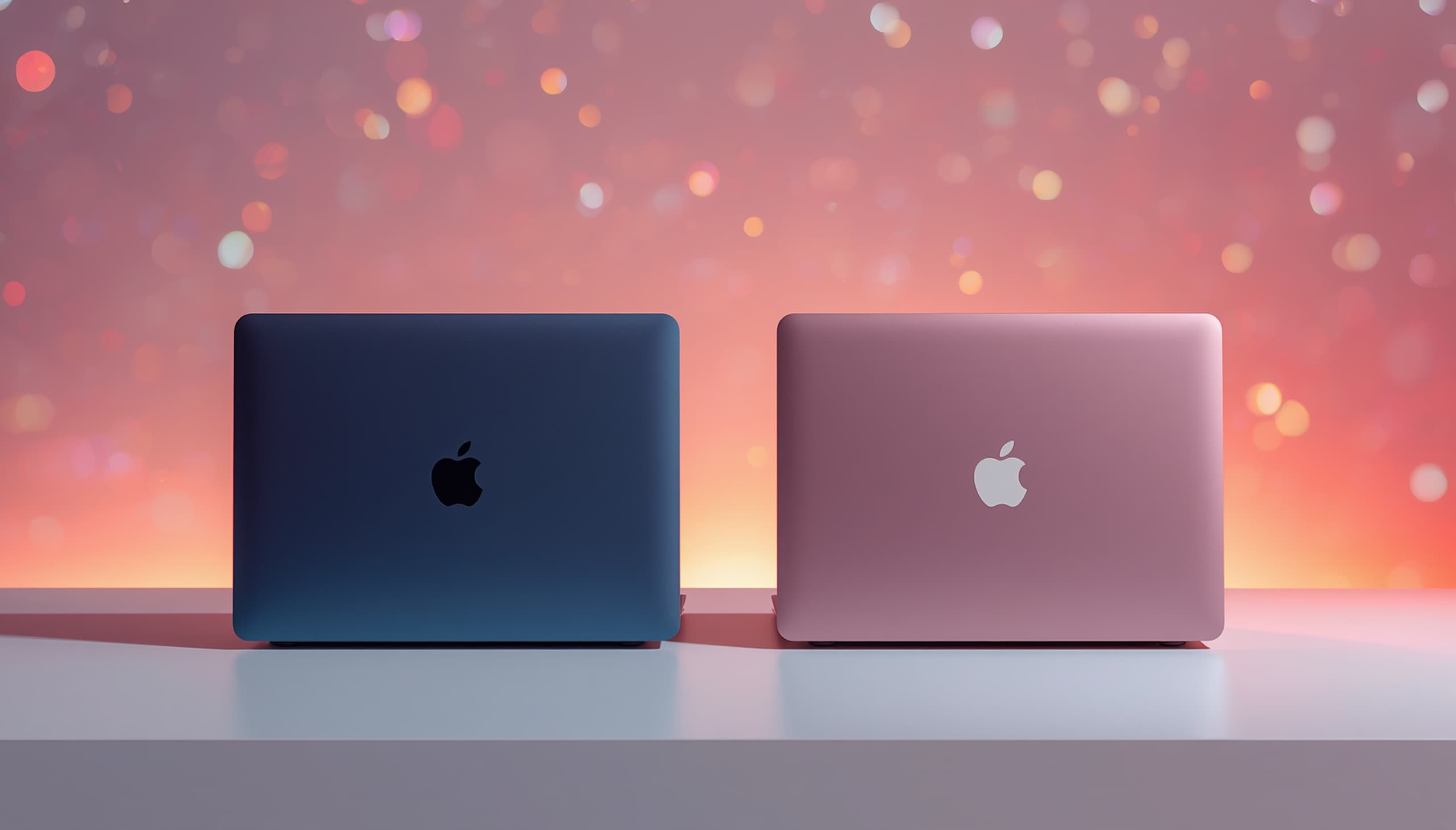
Apple MacBook Neo Review 2026: Worth It?
MacBook Neo review 2026 — Apple’s $599 laptop launched in March 2026 and immediately sold out, with delivery delays stretching two to three weeks across the US (Macworld, 2026). This is the first MacBook priced under $1,000 since 2019, and it’s powered by the same A18 Pro chip inside the iPhone 16 Pro. In this hands-on review, we break down real-world performance, display quality, battery life, who should buy it, and whether it beats the competition at this price.
MacBook Neo Specs Comparison: Neo vs Air M5 vs Chromebook
Before diving into our full MacBook Neo review 2026, here’s how the three main contenders in the budget-to-midrange laptop segment stack up on paper. Apple positions the MacBook Neo squarely against premium Chromebooks and sub-$700 Windows laptops, and industry analysts predict it could capture 20–30% more market share in the education segment alone (Gulf News, 2026).
The MacBook Neo ships in two storage tiers: 256GB at USD 599 and 512GB at USD 699. Students and educators get an additional USD 100 off each configuration. The MacBook Air M5 starts at USD 1,099 — a USD 500 gap that represents the central question of this review (TechRadar, 2026).
| Specification | MacBook Neo | MacBook Air M5 (13-in) | Google Pixelbook Go (2025) |
|---|---|---|---|
| Display | 13-in Liquid Retina, 2408×1506, 500 nits | 13.6-in Liquid Retina, 2560×1664, 500 nits | 13.3-in IPS, 1920×1080, 400 nits |
| Processor | Apple A18 Pro (6-core CPU, 5-core GPU) | Apple M5 (10-core CPU, 8-core GPU) | Intel Core i3 / i5 (varies by config) |
| RAM | 8GB unified (fixed) | 16GB unified (base) | 8GB or 16GB |
| Storage (base) | 256GB SSD | 512GB SSD | 64GB or 128GB eMMC |
| Battery Life (claimed) | Up to 16 hours | Up to 18 hours | Up to 12 hours |
| Weight | 2.7 lbs | 2.7 lbs | 2.4 lbs |
| Ports | 2x USB-C, headphone jack | 2x Thunderbolt 4, MagSafe, headphone jack | 2x USB-C, headphone jack |
| Starting Price (USD) | USD 599 | USD 1,099 | USD 649 |
MacBook Neo Display and Design: Premium Feel at a Budget Price
The MacBook Neo review 2026 cannot ignore the biggest surprise: Apple built a genuinely premium-feeling machine for USD 599. The aluminum chassis weighs 2.7 pounds and ships in four colors — silver, indigo, blush, and citrus — making it the most colorful MacBook lineup Apple has ever released. The build quality rivals laptops costing twice as much, which is the single most consistent finding across every major reviewer (Tom’s Guide, 2026).
The 13-inch Liquid Retina display runs at 2408×1506 resolution with a 3:2 aspect ratio, delivering noticeably more vertical real estate than traditional 16:9 screens — a practical advantage for document editing, spreadsheets, and web browsing. Brightness tops out at 500 nits, matching the MacBook Air M5 at this metric (GSMArena, 2026). One notable limitation: the panel does not support P3 wide color or True Tone, features reserved for pricier MacBooks.
Trade-Offs Apple Made to Hit USD 599
No laptop at this price is without compromise, and the MacBook Neo review 2026 would be incomplete without naming them clearly. The base model at USD 599 does not include a backlit keyboard — you pay USD 699 to unlock that feature. Touch ID is also optional, requiring an additional USD 100 upgrade on the entry configuration (Technerdo, 2026). There is no MagSafe charging port; both USB-C ports handle charging via the included 30W adapter.
RAM is fixed at 8GB with no upgrade path — a ceiling that power users will hit within a year. macOS idles at 3–4GB of memory, and Safari with 20 open tabs consumes another 2–3GB, leaving limited headroom for demanding applications (iFeeltech, 2026). For most students and general users, this will not matter. For developers or video editors, it’s a hard stop. Explore more laptop comparisons in our Gadgets and Reviews section.
MacBook Neo Performance: A18 Pro in the Real World
The MacBook Neo review 2026 benchmark picture is more nuanced than critics expected. The A18 Pro chip posts single-core CPU scores on par with Apple’s M4 chip, which is remarkable for mobile-derived silicon (MacRumors, 2026). The Verge noted the MacBook Neo “zips through the light workloads it’s designed for,” outperforming the M1 MacBook Air and most Windows budget laptops in day-to-day tasks (MacRumors roundup, 2026).
CNET described performance as “bursty” — fast for short sprints, but prone to thermal throttling under sustained load since the MacBook Neo has no active cooling fan (Mashable/AOL, 2026). For reference workloads — web browsing, streaming, Google Docs, Zoom calls, light photo editing in iMovie — the Neo handles everything without strain. Logic Pro and Final Cut Pro under heavy timelines are better suited to the MacBook Air M5 or MacBook Pro.
MacBook Neo vs Windows Budget Laptops: How Does It Actually Compare?
The MacBook Neo review 2026 conversation would be incomplete without addressing the Windows side. Microsoft responded to the Neo’s launch with a “value advantage report,” claiming rival Windows laptops offer double the RAM for under USD 600 and up to 56% longer battery life (Tom’s Guide, 2026). Tom’s Guide tested those claims head-to-head and concluded Apple still pulls ahead in build quality, software optimization, and real-world performance despite the spec-sheet differences.
The A18 Pro’s single-core supremacy over x86 competitors remains significant. In a fragmented Windows laptop market where Intel Lunar Lake, AMD Krackan Point, and Qualcomm Snapdragon X architectures all ship simultaneously — each with different software compatibility trade-offs — the MacBook Neo’s consistency and Apple’s multi-year software support record are legitimate advantages for first-time buyers. For more context, read our complete guide on Technology trends shaping the 2026 laptop market.
MacBook Neo Battery Life: The Headline Result
Battery life is where the MacBook Neo review 2026 delivers its biggest surprise. Tom’s Guide tested the Neo using continuous web surfing over Wi-Fi at 150 nits of brightness — the publication’s standard methodology — and recorded 13 hours and 28 minutes of real-world endurance (Tom’s Guide, 2026). Apple claims up to 16 hours; the real-world result is comfortably under that, but still exceptional for a USD 599 laptop.
To put that number in context: the Microsoft Surface Laptop Go lasted fewer than 9 hours in the same test, while the MacBook Air M5 outlasted the Neo by exactly 2 hours (Tom’s Guide, 2026). A senior Tom’s Guide reviewer noted that during a real-world session — bouncing between multiple Chrome windows with Slack active at 75% screen brightness — the MacBook Neo’s battery dropped only to 74% after two hours of use. For a full school day or workday without a charger, the Neo more than qualifies.
Charging Speed and Port Setup
The MacBook Neo ships with a 30W USB-C adapter, which is adequate for overnight or desk charging but slower than the 35W or 67W chargers bundled with MacBook Air models. Without MagSafe, there is no magnetic disconnect safety feature — a meaningful omission if you frequently work with cables stretched across a floor or desk. Both USB-C ports are usable for charging, giving flexibility when one port is occupied.
The SSD read/write speeds in the MacBook Neo are measurably slower than those in the MacBook Air M5 and MacBook Pro. Under everyday tasks — opening apps, loading files, web browsing — this difference is invisible. Under heavy file operations such as large video exports or Xcode builds, the slower storage becomes a real bottleneck. Users coming from Chromebooks or older Windows laptops are unlikely to notice any slowdown whatsoever (iFeeltech, 2026).
Our Verdict and Rating: MacBook Neo Review 2026
The MacBook Neo review 2026 verdict is clear: for its target audience, this is the best laptop you can buy at USD 599. The Verge awarded it 9/10. Tom’s Guide gave it 4.5/5 and the Editor’s Choice award. PCMag also scored it 4.5/5 with Editor’s Choice. Notebookcheck independently reached 86% (J.D. Hodges, 2026). That level of consensus across competing outlets is rare and meaningful.
The MacBook Neo is not the right machine for everyone — the 8GB RAM ceiling is a genuine limitation for power users, developers, and creative professionals. But for the specific buyer it targets — students, first-time Mac buyers, Chromebook switchers, and anyone whose daily workload is browsing, email, video calls, and productivity apps — the MacBook Neo delivers premium quality that no competitor at this price can match.
| Publication | Score | Award |
|---|---|---|
| The Verge | 9 out of 10 | Recommended |
| Tom’s Guide | 4.5 out of 5 | Editor’s Choice |
| PCMag | 4.5 out of 5 | Editor’s Choice |
| Notebookcheck | 86 percent | Recommended |
| Tom’s Hardware | 4.5 out of 5 | Editor’s Choice |
Pros and Cons of the MacBook Neo 2026
Every MacBook Neo review 2026 should be honest about what works and what does not. On the positive side: the build quality punches well above its price bracket; the Liquid Retina display is bright and sharp; battery life outperforms every Windows competitor in its price range; and macOS offers a consistency of experience that fragmented Windows and ChromeOS ecosystems struggle to match. Apple Intelligence features — available on A18 Pro — add genuine AI utility for writing assistance, image tools, and smart notifications.
On the downside: the backlit keyboard requires paying USD 699 instead of USD 599; Touch ID costs extra on the base model; there is no MagSafe; external display support tops out at a single monitor; and the fixed 8GB RAM cannot be upgraded post-purchase. The slower SSD compared to MacBook Air M5 is a real-world concern only for demanding users. These are the right compromises for a USD 599 machine — but buyers must go in with eyes open.
Who Should Buy the MacBook Neo in 2026?
The MacBook Neo review 2026 audience profile is specific and well-defined. Apple’s own marketing targets first-time Mac buyers, students, and anyone currently using a Chromebook or entry-level Windows laptop who wants to enter the macOS ecosystem. Analysts describe the MacBook Neo as a direct assault on Chromebooks, potentially capturing 20–30% more market share in education and emerging markets (Gulf News, 2026).
The Neo’s advantages over Chromebooks are concrete: full offline app support, the complete macOS software library, Apple Intelligence, better build quality, and multi-year OS update support. Against USD 500–700 Windows laptops, it offers macOS consistency and superior construction relative to comparable plastic-chassis Windows alternatives. Demand has been extraordinary — Apple entered “supply chase” mode immediately after launch, with delays of two to three weeks reported as of late April 2026 (Macworld, 2026).
When You Should Skip the MacBook Neo and Buy the MacBook Air M5
The MacBook Neo review 2026 calls for honesty here: some users should spend the extra USD 500 on the MacBook Air M5. If you write code professionally, edit video beyond casual iMovie projects, run memory-intensive applications, or need to connect two external monitors, the Neo’s constraints will frustrate you within months. The M5 chip’s 10-core CPU and 16GB base RAM offer meaningfully more headroom for sustained workloads (iFeeltech, 2026).
Additionally, if working in low light is part of your daily routine — evening study sessions, coffeeshop work, late-night projects — the missing backlit keyboard on the base USD 599 model is a real ergonomic pain point. Factor in the USB-C-only port setup and the absence of Thunderbolt 4 (the MacBook Air M5 has full Thunderbolt 4), and the USD 500 price gap starts to close in value terms for users who need those capabilities. Most casual users, however, will not need them.
Frequently Asked Questions
Is the MacBook Neo worth buying in 2026 for students?
Yes — the MacBook Neo review 2026 consensus is that students get the best value laptop on the market at USD 599 (or USD 499 for education buyers). It handles browsing, document editing, video calls, and light creative work with ease. Battery life of 13 hours and 28 minutes in Tom’s Guide testing means a full school day on one charge, a genuine advantage over most competing laptops (Tom’s Guide, 2026).
What are the biggest drawbacks of the MacBook Neo?
The MacBook Neo review 2026 identifies four main drawbacks: 8GB RAM is fixed and cannot be upgraded; the backlit keyboard requires the USD 699 model; Touch ID costs an extra USD 100 on the base configuration; and there is no MagSafe charging. The A18 Pro chip is also derived from iPhone silicon rather than the more powerful M-series chips, which limits sustained performance under heavy workloads like video editing or software development (Mashable, 2026).
How does MacBook Neo battery life compare to the MacBook Air M5?
In the MacBook Neo review 2026 battery test by Tom’s Guide, the Neo lasted 13 hours and 28 minutes under continuous Wi-Fi web browsing — approximately 2 hours shorter than the MacBook Air M5 under the same conditions (Tom’s Guide, 2026). Apple claims up to 16 hours for the MacBook Neo and up to 18 hours for the Air M5. Both laptops far outlast comparable Windows budget laptops, with the Microsoft Surface Laptop Go lasting fewer than 9 hours in the same test.
Should I buy the MacBook Neo or the MacBook Air M5 in 2026?
The MacBook Neo review 2026 recommendation depends entirely on your workflow. Choose the MacBook Neo if your daily tasks are browsing, email, streaming, video calls, and light productivity — you get all the macOS benefits at USD 599. Choose the MacBook Air M5 if you code professionally, edit video or photos regularly, need 16GB RAM, or require dual external monitor support. The USD 500 gap is real, but for most casual users the Neo is more than enough (iFeeltech, 2026).
Final Thoughts
The MacBook Neo review 2026 lands on a simple conclusion: Apple built the right laptop for the right price at exactly the right time. At USD 599, the MacBook Neo delivers premium aluminum construction, a sharp Liquid Retina display, 13-plus hours of real-world battery life, and Apple Intelligence features that no Chromebook or budget Windows laptop can match. The 8GB RAM ceiling and missing backlit keyboard on the base model are the trade-offs you accept for the price — and for most buyers, they are trade-offs worth making. Keep an eye on our Gadgets and Reviews coverage for updates as Apple’s supply catches up with demand in mid-2026.
What Do You Think?
Have you ordered a MacBook Neo — or are you sticking with the MacBook Air M5? Drop your thoughts in the comments below and share this MacBook Neo review 2026 with anyone trying to decide between the two.
References
- Tom’s Guide — MacBook Neo review: Best budget laptop ever
- TechRadar — MacBook Neo vs MacBook Air M5 — how do they compare and which should you buy?
- GSMArena — MacBook Neo arrives with A18 Pro chip, USD 599 starting price
- Macworld — MacBook Neo guide: Price, availability, specs and MacBook Air comparison
- Tom’s Guide — MacBook Neo battery life tested — I can’t believe the results